 www.apress.com

Highlights
|
|
|
|
|
|
|
|
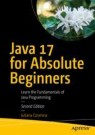
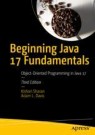
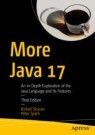
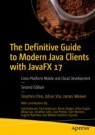
Java
The Java language is on a multi-decade run as one of the most widely-used and successful programming environments ever. Our books offer a foundation of success through our extensive coverage of Java language topics, programming techniques, the Enterprise Edition platform, web and back-end development, and the internet of things, as well as related technologies like JavaFX and Spring. You can also find Java mobile development (Android) books in our Mobile category.
Our Key Topics
- Spring
- Java SE
- Jakarta EE
Meet the Editor
-
Steve Anglin
Associate Editorial Director
Android, C/C++, Java, PHP, Perl, Ruby
Tel.: +1 650-776-7571
steveanglin@apress.com

Featured Author
-
Iuliana Cosmina is currently a software engineer for NCR Edinburgh. She has been writing Java code since 2002. She has contributed to various types of applications, such as experimental search engines, ERPs, track and trace, and banking. During her career, she has been a teacher, a team leader, software architect, a DevOps professional, and a software manager. She is a Spring-certified professional, as defined by Pivotal, the makers of Spring Framework, Boot, and other tools. She considers Spring the best Java framework to work with. When she is not programming, she spends her time reading, blogging, learning to play piano, travelling, hiking, or biking.
